Projects
node_modules, vendor, target, build output, in every project you haven't touched for 30 days.
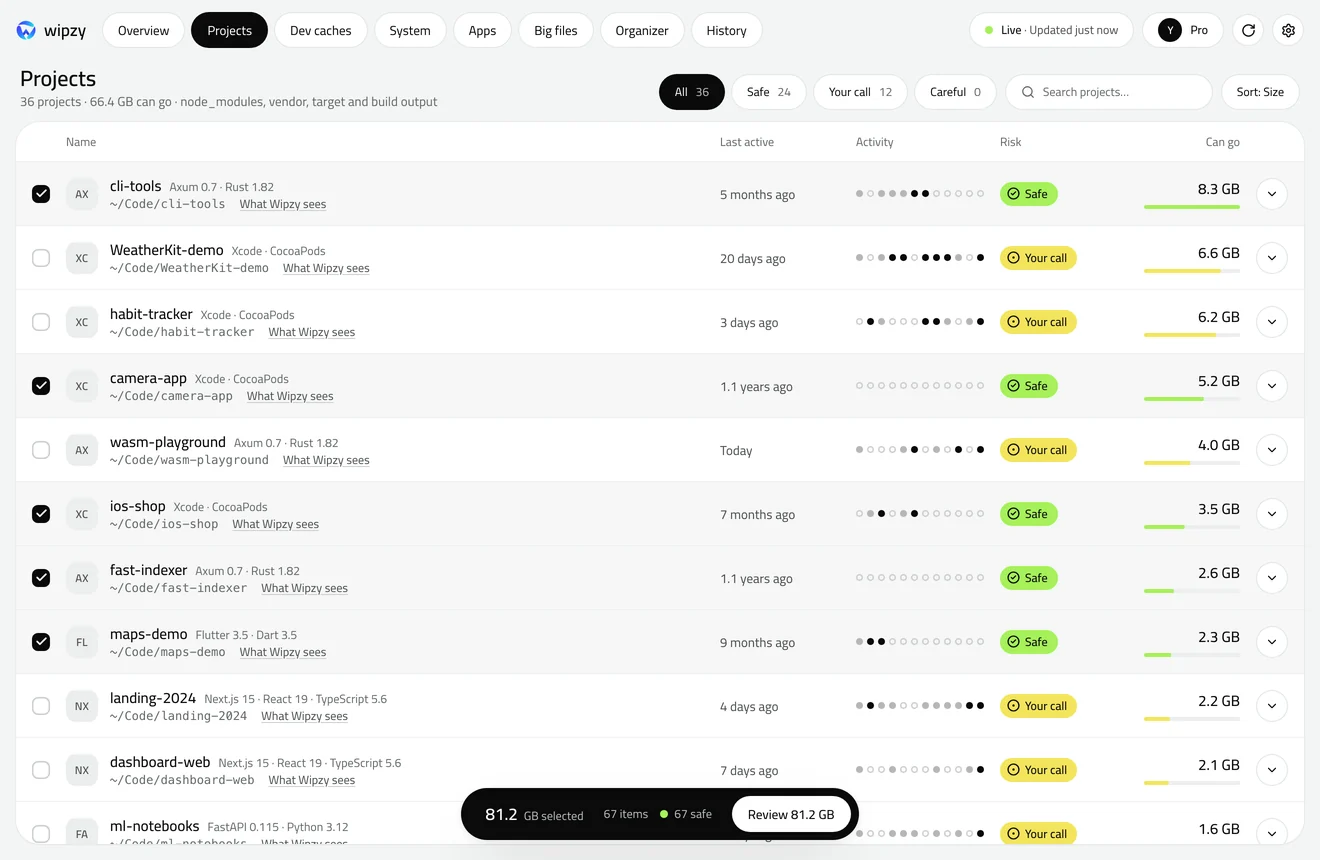
Wipzy is a Mac disk cleaner for developers. It finds node_modules, target, DerivedData and simulators, tells you how each comes back, and moves them to an undoable quarantine.
composer.json, package.json, Cargo.toml and 300 more markers tell Wipzy what a folder is. You see the stack with versions, the evidence, and every folder it will never touch.
vendor/composer installnode_modules/npm citarget/cargo buildDerivedData/rebuilt by Xcode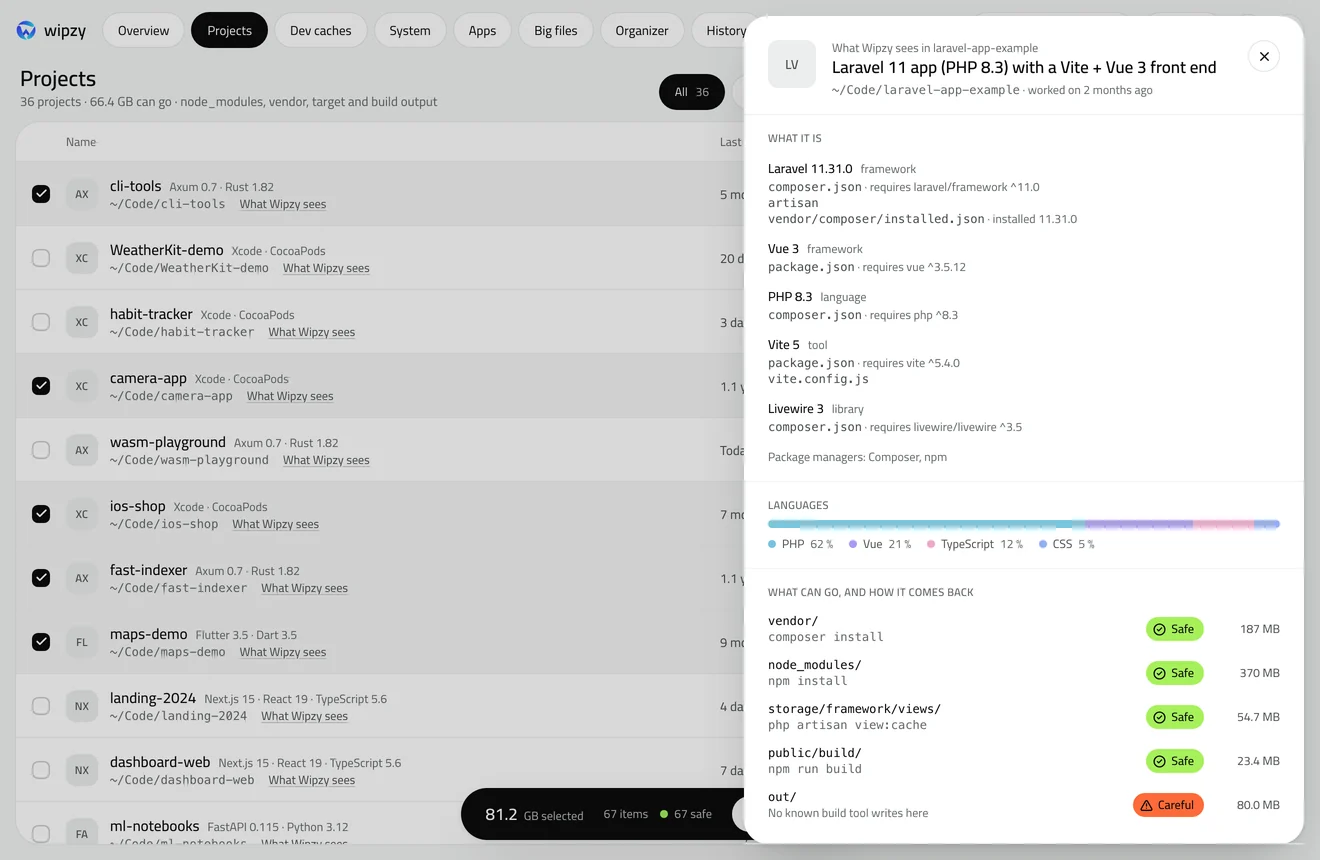
Comes back by itself or with one command. Pre-selected.
Comes back, but costs time: a simulator, a project you touched last week.
Might hold your work. You type clean to include it.
Source, .env, anything git tracks. Never offered.
Anything no rule recognises is Protected. Wipzy never follows a symlink.
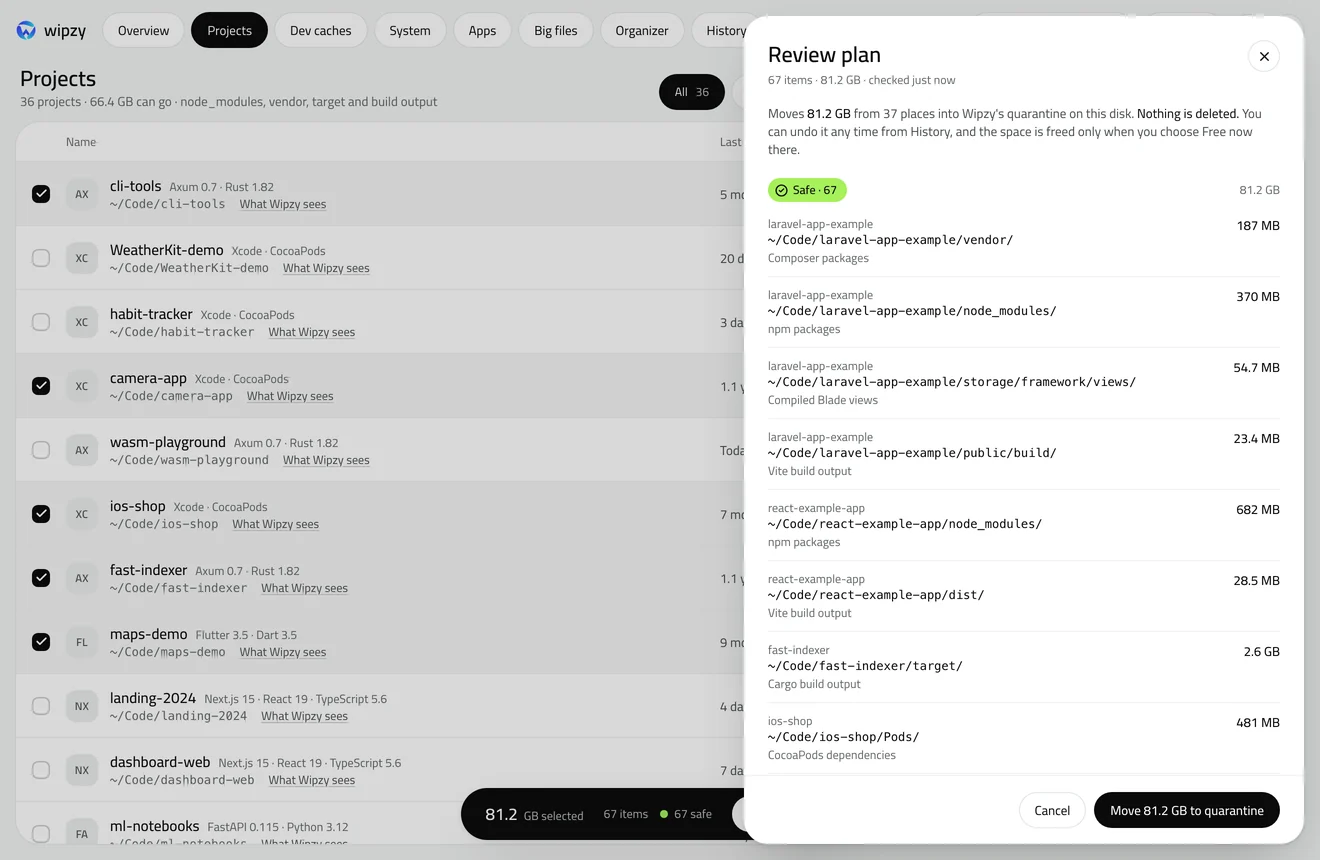
Everything goes to a quarantine on the same disk, checked again right before it moves. Undo puts it back, item by item. Space comes back when you press Free now, or by itself after 24 hours with Pro.
CleanquarantineUndo or Free now
node_modules, vendor, target, build output, in every project you haven't touched for 30 days.
Package and build caches, Xcode DerivedData included, cleaned with the tool's own command when it has one.
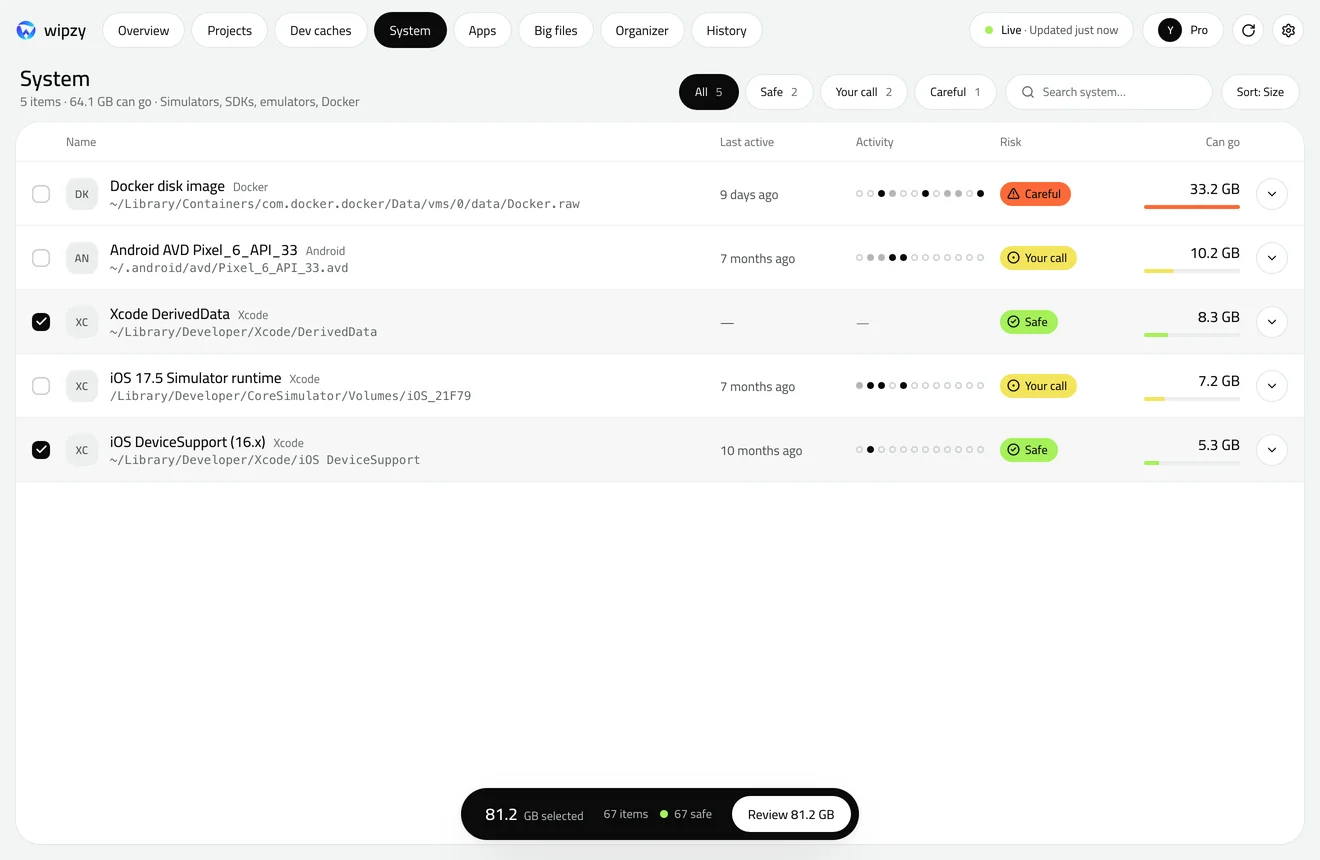
npmpnpmYarnComposerGradleCocoaPodsHomebrewpipCargoGoUnused Xcode simulators, old Android images, Docker build cache, VMs and logs.
Browser and editor caches once the app is closed, and apps you haven't opened in 90 days.
Installers and disk images over 500 MB you haven't opened in 90 days.
Desktop and Downloads into folders by type. It never moves a project or an app.
47 seconds, music and no narration. If it does not play here, every scene is written out on the film page.
$0 without an account
$4.99 a month or $39 a year, billed by Polar
20 of 20 free launch years left. Create an account and confirm your email: no card.
Wipzy never sends anything about your files.
No analytics and no telemetry in the app. Signed in, it asks Wipzy for your plan every 6 hours. That is the only request it makes. What an account keeps, and how to delete it
macOS 13 or later, Apple silicon. 2.5 MB download.
The first public build is being notarized by Apple. Create an account and we email you the link the day it's ready.
.env files and anything git tracks are Protected. Even then, Clean moves to a quarantine you can undo.
JavaScript
Find every node_modules folder on your Mac, see what each one weighs, and delete the idle ones with one find command. Every one comes back with npm ci.

Mac storage
No safe tool cleans a Mac in one click. Here is the ten minute version that works: see where the space is, clear what rebuilds, and decide the rest yourself.

Mac storage
App caches on a Mac live in ~/Library/Caches and inside Application Support. See the largest ones, clear them per app, and know which folders hold your data.